Features

Everything your collection needs.

From style master to tech pack, from prototype to sample room, from line plan to open architecture: here is ONE COLL, feature by feature.

Validated by fashion professionals

No feature makes it into ONE COLL without being tested and validated by fashion professionals: product managers, product engineering, regulatory, merchandising, IT. Everything you see here answers real-world use.

The foundation

Product master data

It all starts with clean master data. From style to colorway, from colorway to SKU, each level is structured once and for all, and every team relies on the same data.

Validated by fashion professionals

Style master

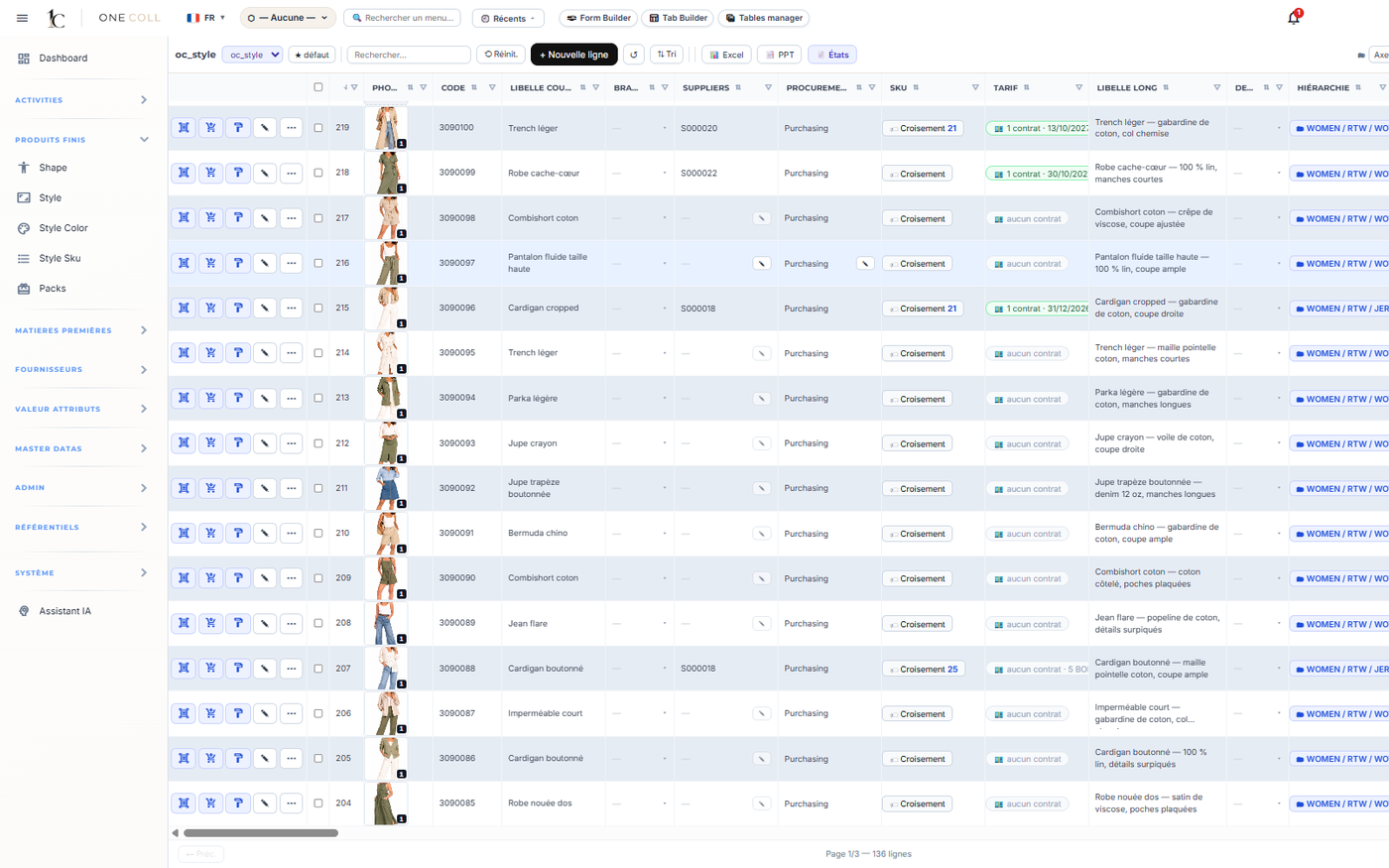
All your styles, in one place

Styles, colorways and sizes in a single product master, by season and by category. Find, filter and compare in seconds, and keep data consistent from one collection to the next.

  • Search and filters by season and category
  • Linked styles, colorways and sizes
  • Consistent data from one collection to the next
ONE COLL
Style master
Style, colorway, SKU

Every level in its place

The style carries the design. Each color makes it a colorway, and each size of that colorway an SKU. The structure is set when the style is created, with no re-keying.

  • Style
  • Colorway
  • SKU by size and cup
Sizes & prepacks

Size ranges and assortments by category

Size ranges, cup sizes and prepacks (pre-packed size ratios) are configured for each category: ready-to-wear, lingerie, footwear, accessories.

  • Size ranges and cup sizes
  • Prepacks and commercial packs
  • Configuration by category
Composition & care

An accurate label, at the source

Fiber composition, country of origin, care symbols and certifications are structured. The composition label is generated from the bill of materials.

  • Composition and country of origin
  • Care symbols
  • Certifications and labels
From sketch to tech pack

Technical development

Every style is technically built in ONE COLL: its silhouette, its bill of materials, its bill of labor and its measurement chart, all the way to the tech pack.

Validated by fashion professionals

Style sheet

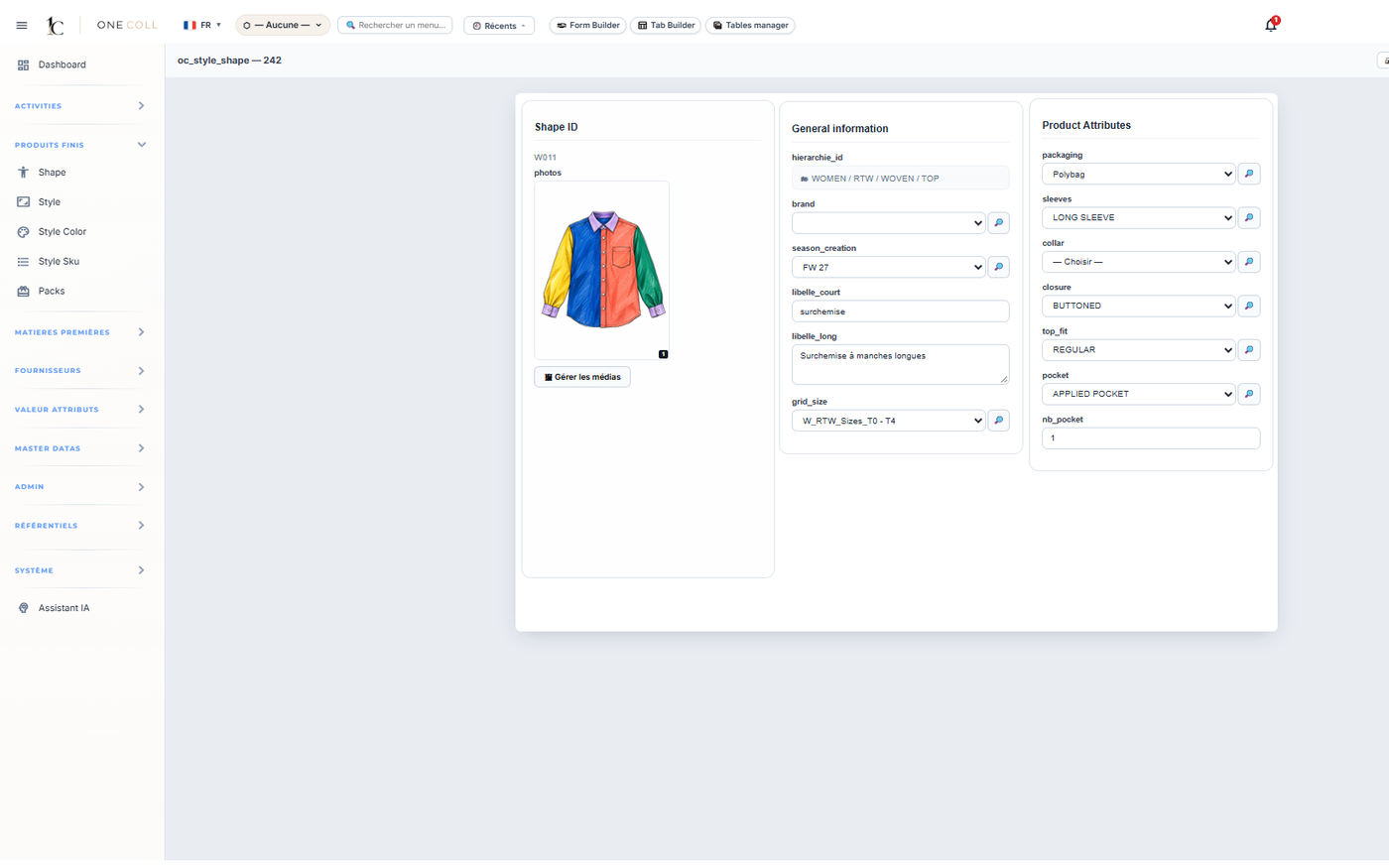
The style, from sketch to spec sheet

Each style brings together its visuals, its silhouette (shape), its technical attributes and its colorways. One single sheet, shared by design, product engineering, sourcing and production, with no re-keying.

  • Sketches and visuals
  • Silhouette (shape) and technical attributes
  • Illustrator integration
ONE COLL
Style sheet
Bill of Materials (BOM)

Materials, trims and consumption

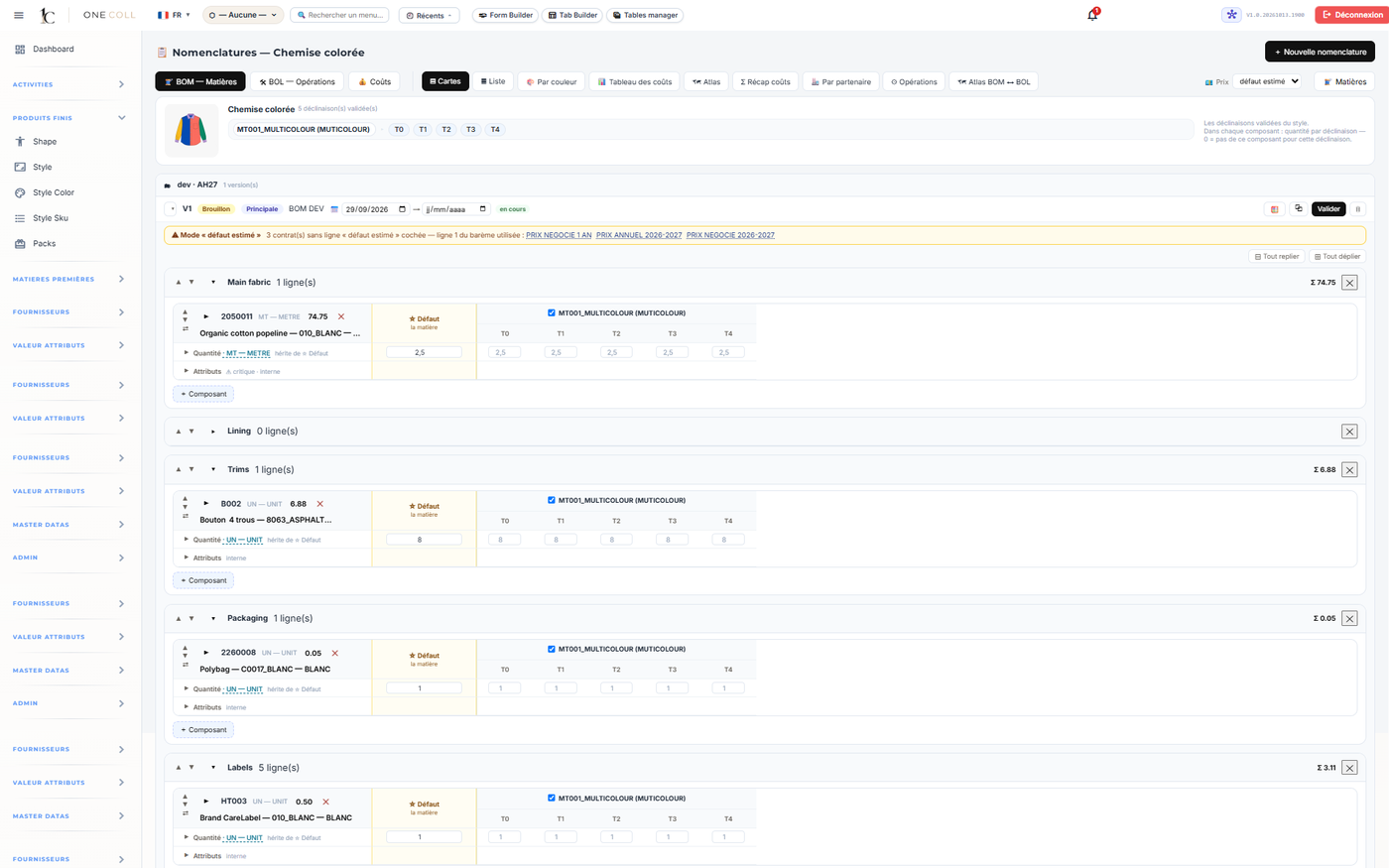
The bill of materials describes every component of the style (fabrics, linings, trims) with its consumption and supplier, colorway by colorway. It feeds the cost price and the composition label directly.

  • Components and consumption by colorway
  • Basis for the cost price
  • Source of the composition label
ONE COLL
Bill of Materials (BOM)
Bill of Labor (BOL)

Construction operations, described

The bill of labor lists the manufacturing operations of the style, in construction order. Linked to the bill of materials, it gives the CMT cost and prepares the sample room's work.

  • Operations in construction order
  • Basis for the CMT cost
  • Linked to the bill of materials
Measurement chart

Points of measure and grading

Points of measure are defined on the base size, then graded across the whole size range. The measurement chart is attached to the style.

  • Points of measure (POM)
  • Base size and grading
  • Attached to the style
Tech pack

A complete tech pack, always up to date

The tech pack gathers everything needed to manufacture: visuals, bill of materials, bill of labor, measurements, composition. Any change is reflected everywhere, with no conflicting versions.

  • Tech pack
  • One single reference version
  • Ready to share with your manufacturer
Profitability

Sourcing & costing

Suppliers, quotes, cost price and margin are linked to the style. With multi-sourcing, costing becomes a real decision-making tool, collection after collection.

Validated by fashion professionals

Materials & suppliers

A living materials library

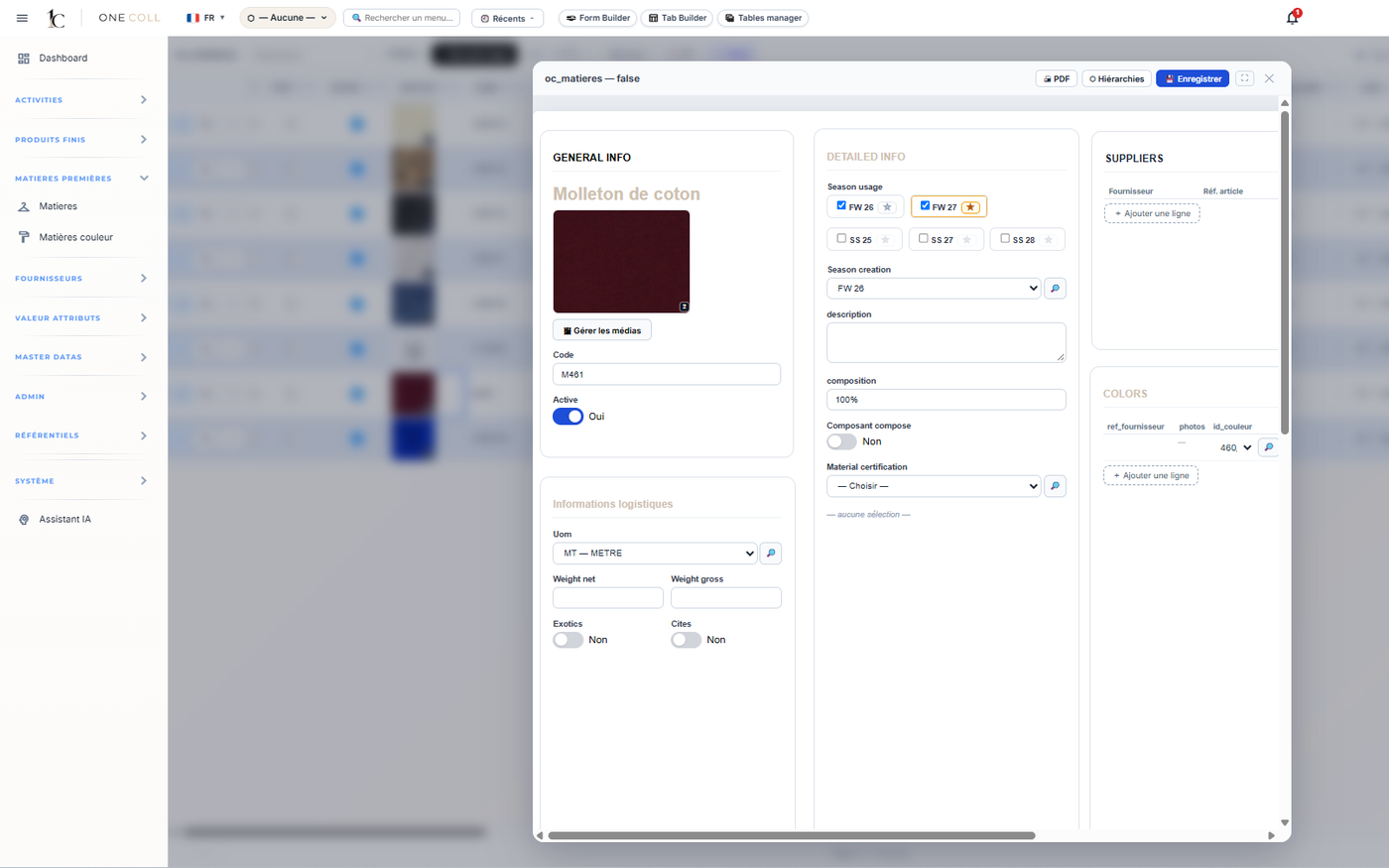
Fabrics, trims and their colors are centralized with their suppliers and purchase prices. A price change is reflected in every bill of materials where the material is used.

  • Materials and trims library
  • Suppliers and manufacturers
  • Up-to-date purchase prices
ONE COLL
Materials library
Multi-sourcing

Several sources for the same style

A style or a component can be linked to several suppliers or manufacturers, each with its own prices, minimum order quantities and lead times. Compare quotes and choose the right source, without duplicating the style.

  • Several suppliers per style or component
  • Prices, MOQs and lead times per source
  • Quote comparison
Cost price

The real cost of every colorway

The cost price is calculated from the bill of materials (material cost) and the bill of labor (CMT cost). A reliable figure, at the right time, to make decisions.

  • Material cost and CMT cost
  • Breakdown by style and colorway
  • Automatic updates
Retail price & margin

Set the right price

Apply your markups, simulate the retail price and see the margin by style and by collection, before you decide.

  • Markups and retail price
  • Margin by style and by collection
  • Scenario comparison
From request to approval

Prototypes & samples

Prototypes, fit samples, sales samples: every piece is tracked, from request to approval.

Validated by fashion professionals

Development tracking

Every development, milestone by milestone

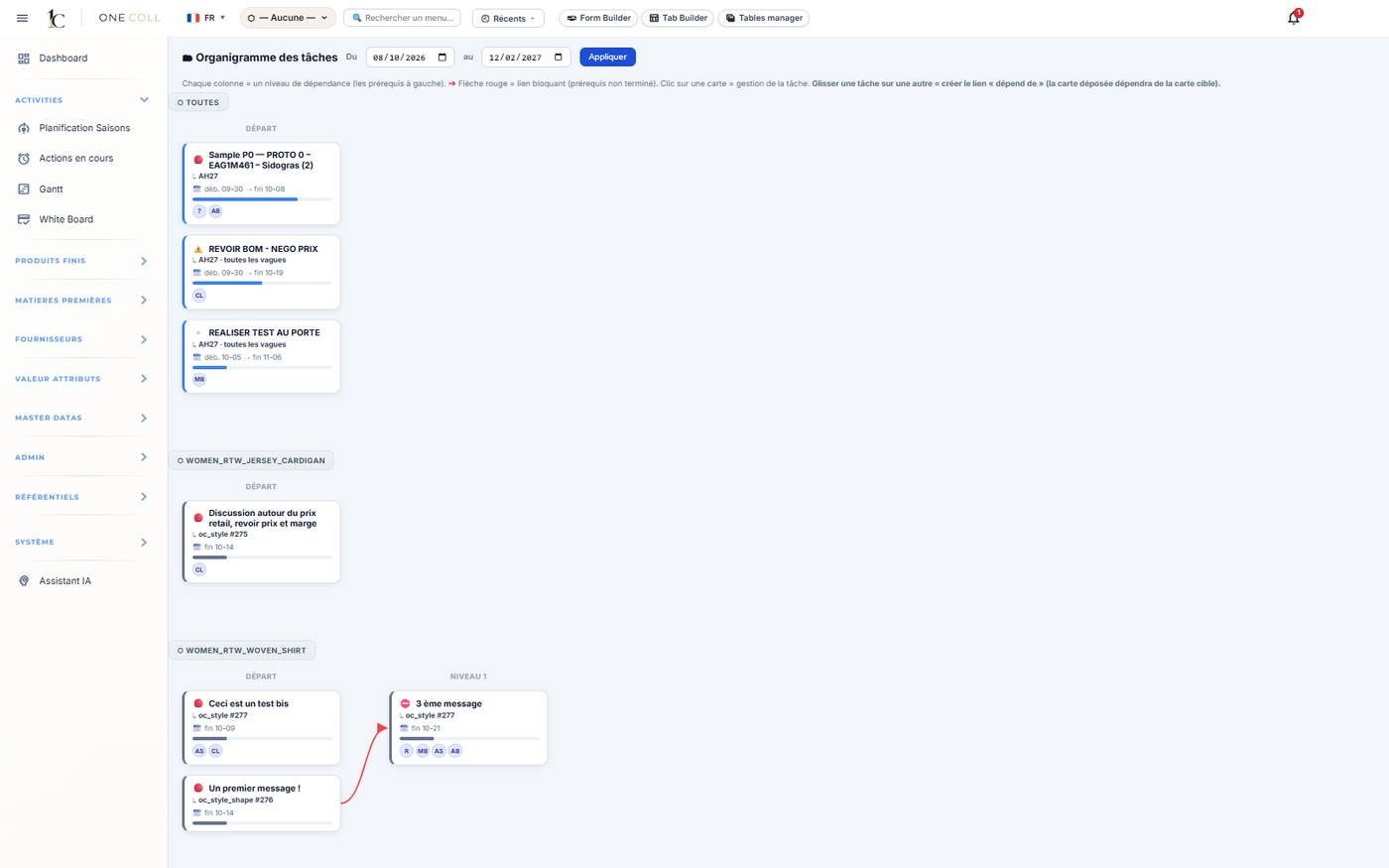
Every prototype request becomes a set of shared tasks and milestones. Design, product engineering, sourcing and production see progress in real time, without chasing anyone.

  • Task chart
  • Milestones and real-time progress
  • Planning by season
ONE COLL
Task chart
Unit-level tracking & QR codes

Every sample identified

Each piece carries its own ID and QR code. A scan at each step updates its status.

  • Unique ID per piece
  • Scan at each step
  • Full history
Location

Where every sample is, at all times

Design studio, manufacturer, fitting, showroom: the location of every sample is always known.

  • Real-time location
  • Overview of all pieces
  • Less time searching
AI document search

Find the information you need

AI-powered document search finds information across your product documents. Your data stays encrypted and confidential.

  • AI search
  • Encrypted, confidential data
  • Standalone module
Manufacturing, on the same database

Sample room management

The Sample Room module runs prototype manufacturing on the same product master as product development.

Validated by fashion professionals

Work orders

Prototype work orders

Prototype work orders, created from the style, with its bill of materials and bill of labor.

Inventory

Materials and trims

Raw material and trim inventory, in real time.

Material handling

Movements in the sample room

Every movement of pieces in the sample room, tracked.

Goods receipt

Inspection on receipt

Inspection of received materials and pieces.

Build and present the range

Range development

From the line plan to the range presentation, merchandising, collection and sales teams work on always up-to-date data.

Validated by fashion professionals

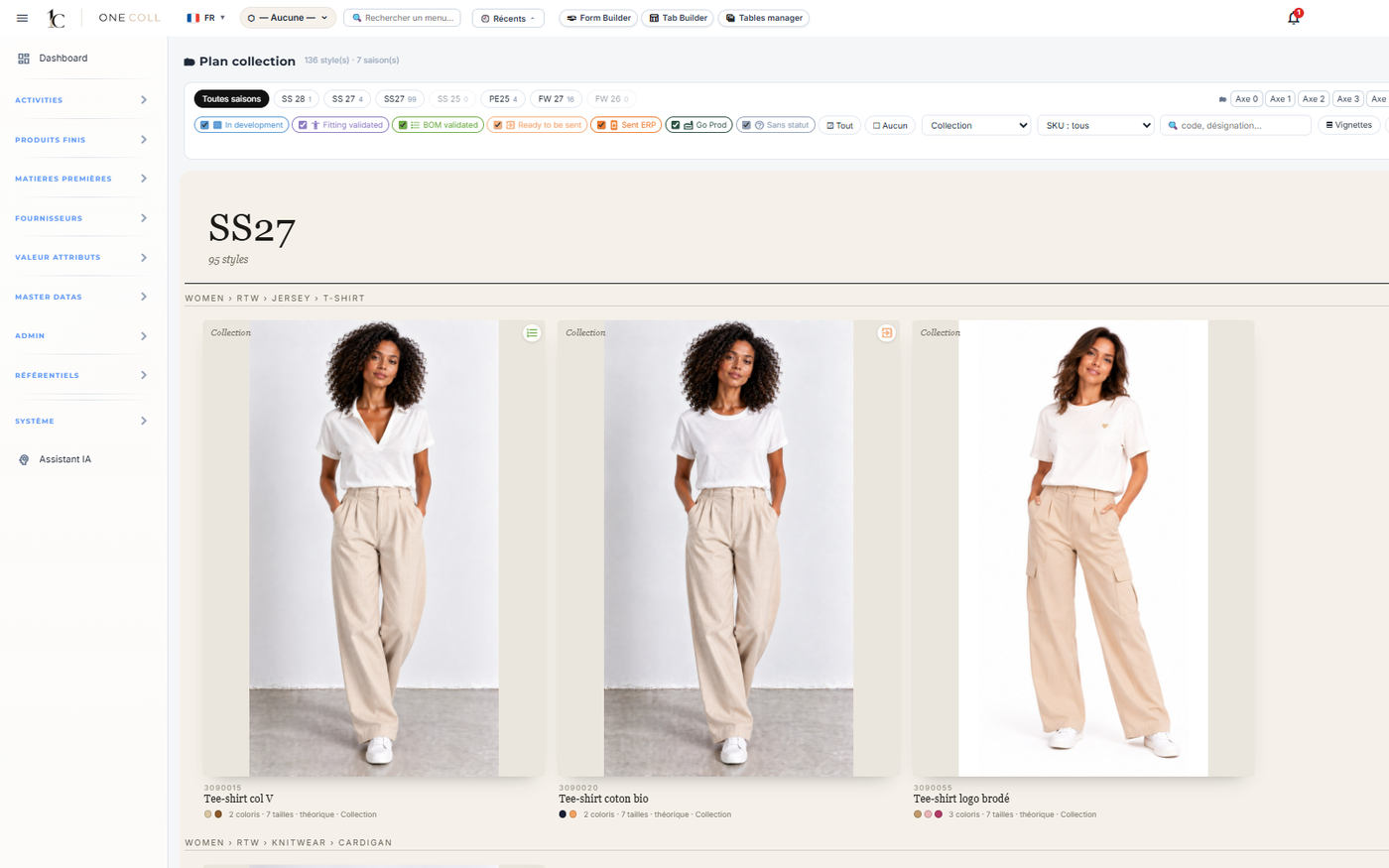
Line plan

Steer the collection at a glance

Seasons, product families, drops and SKUs in a visual, live view: the line plan follows the collection calendar. Merchandising compares options and keeps an up-to-date overview.

  • Seasons and collection calendar
  • Drops and SKUs by product family
  • Visual view by category
ONE COLL
Line plan
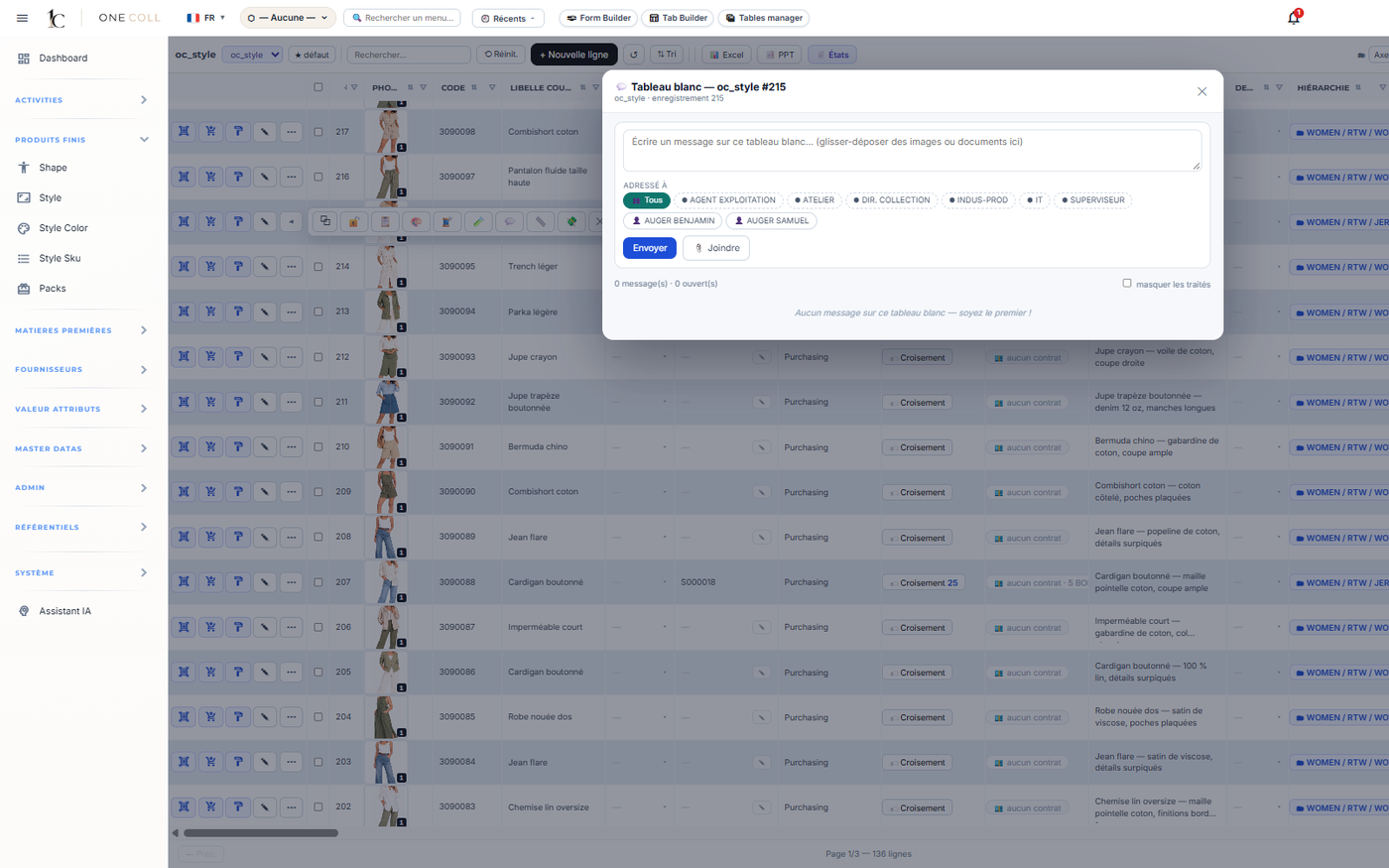
Whiteboard

Compose and arbitrate visually

A visual workspace to build, present and arbitrate the range in collection meetings, directly linked to product data.

  • Visual range building
  • Linked to product data
  • Ideal for collection meetings
ONE COLL
Whiteboard
Range management

A structured assortment

Selected styles, their colorways and their prices, organized by collection and by drop.

Style catalog

Always up to date

The line sheet is built from the product master, with no copy-pasting.

Range PowerPoint

Present in one click

The range presentation is generated from ONE COLL, ready to share.

Open to your tools

IT integration

ONE COLL complements your IT system rather than replacing it: it connects with your ERP, your design tools and your security systems.

Validated by fashion professionals

Inbound / outbound data flows

Data that flows

Import and export flows exchange styles, colorways, SKUs and prices with your ERP and your tools, with no re-keying or duplicate management.

  • Flows with your ERP
  • Imports and exports
  • No more double entry
Illustrator

Your designers' tools

Designers keep working in Illustrator. Their designs feed the style sheet directly.

  • Illustrator integration
  • Visuals linked to the style
  • No double entry
Security

Compatible with your security

ONE COLL integrates with your security and network protection systems, such as Akamai or Zscaler, according to your IT department's rules.

  • Akamai, Zscaler…
  • Your IT department's rules respected
  • Controlled access
A rare advantage on the market

Open architecture

With market PLMs, every change request is a long cycle. Yet production and regulations evolve quickly, and demand flexibility and responsiveness. ONE COLL lets you configure the solution on your own.

Validated by fashion professionals

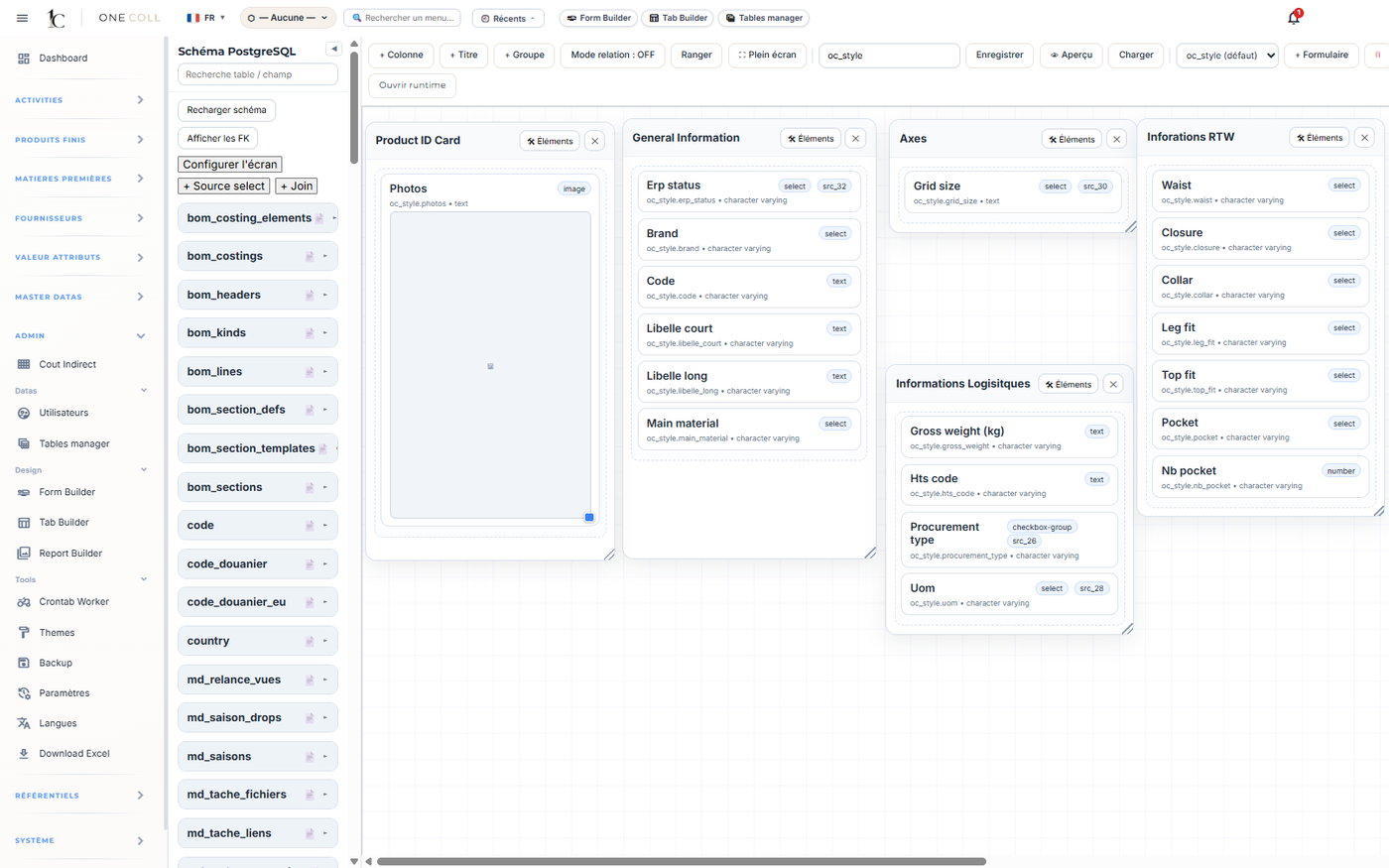
Form builder

Build your screens without coding

Add a field, reorganize a form, adapt a screen to your business. Configuration is done on your own, instantly.

ONE COLL
Form builder
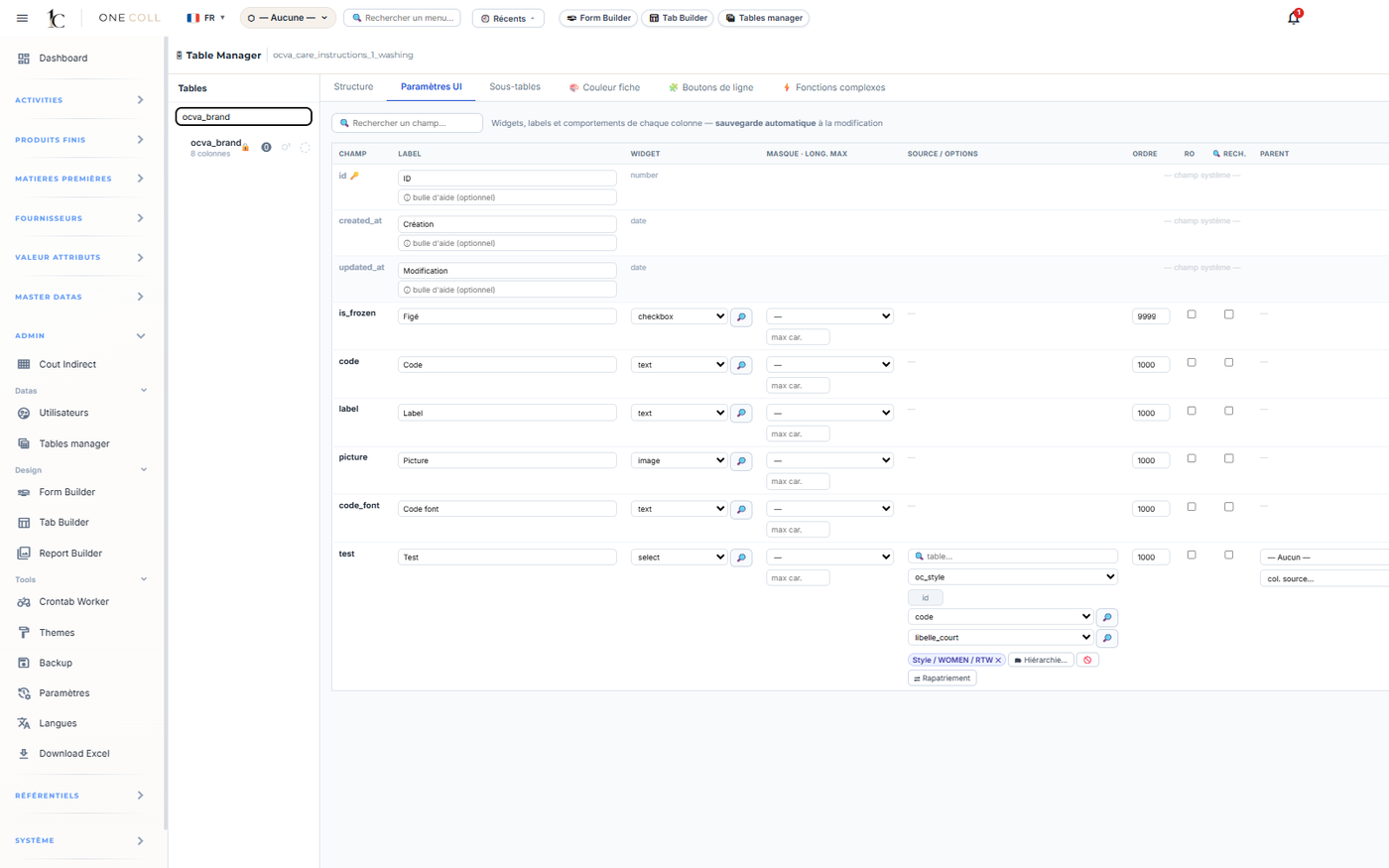
Table manager

Evolve your master data

Your tables and fields evolve with your needs. The IT department stays in control of the data structure.

ONE COLL
Table manager
Menus by role

The right tools for everyone, without clutter

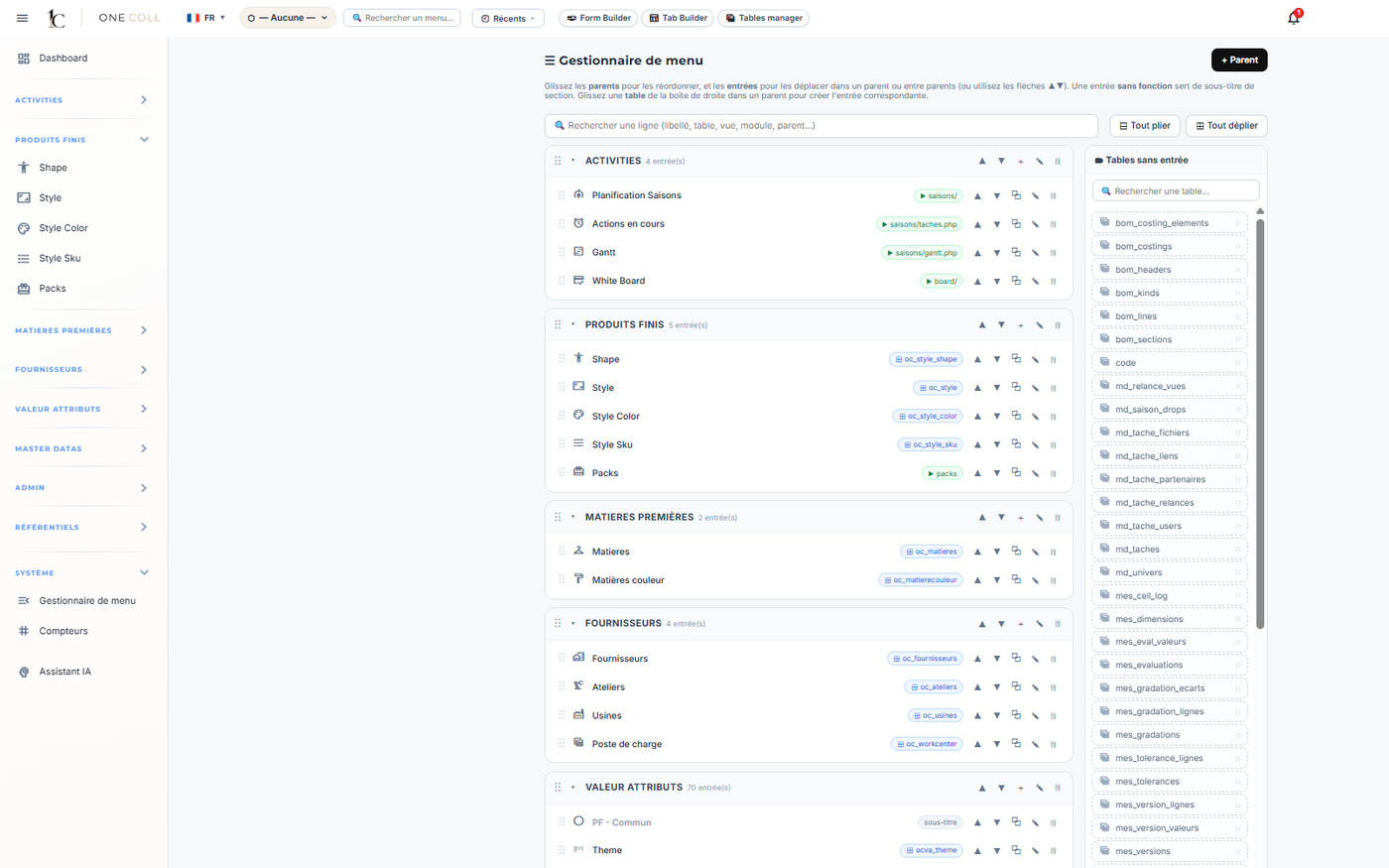
A merchandiser, a buyer and a designer don't see the same ONE COLL: menus adapt to each team.

ONE COLL
Menu manager
Roles & permissions

Controlled access

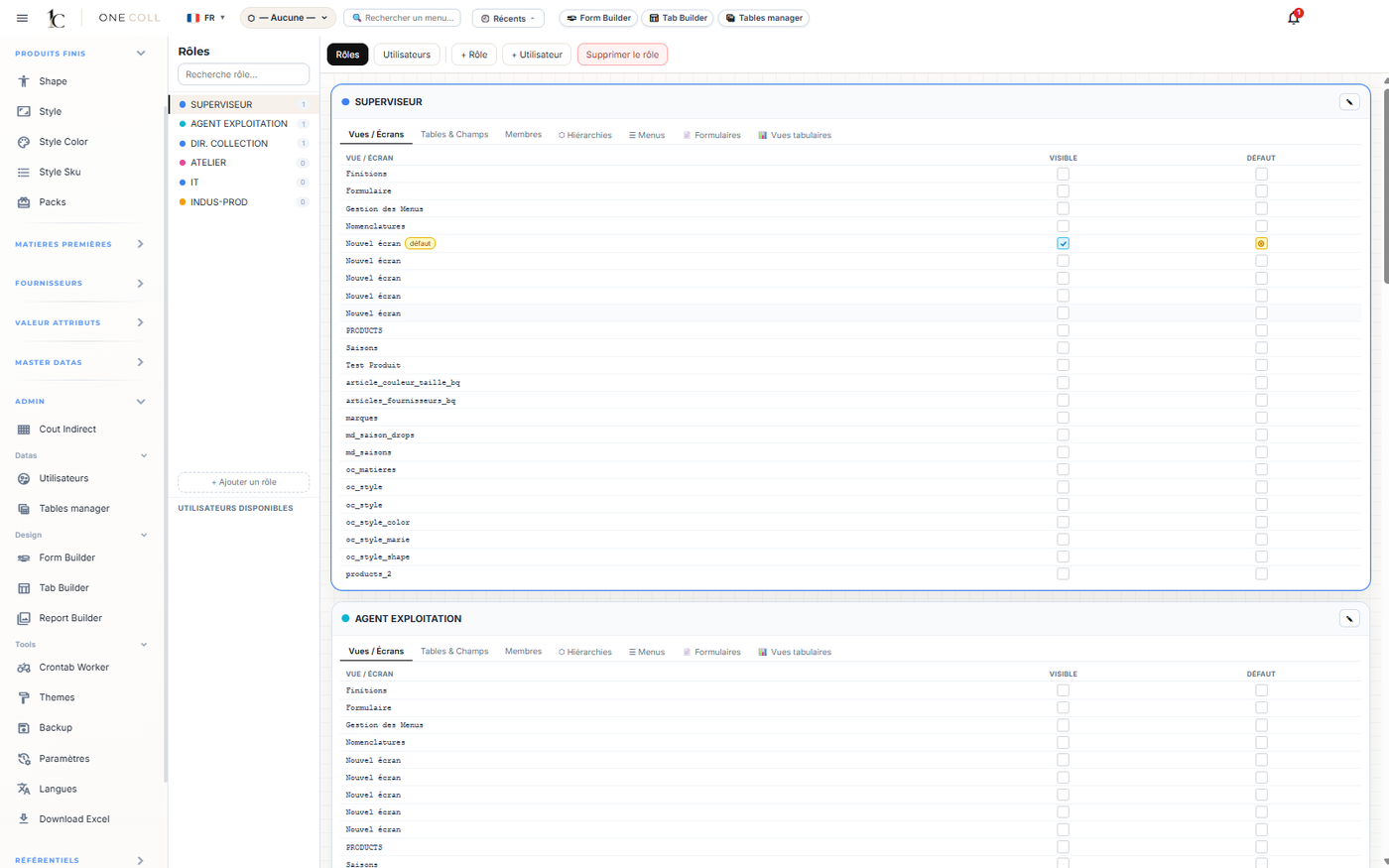
Fine-grained roles and precise permissions, designed for the security and governance an IT department expects.

ONE COLL
Roles and permissions
Users

Access management, made simple

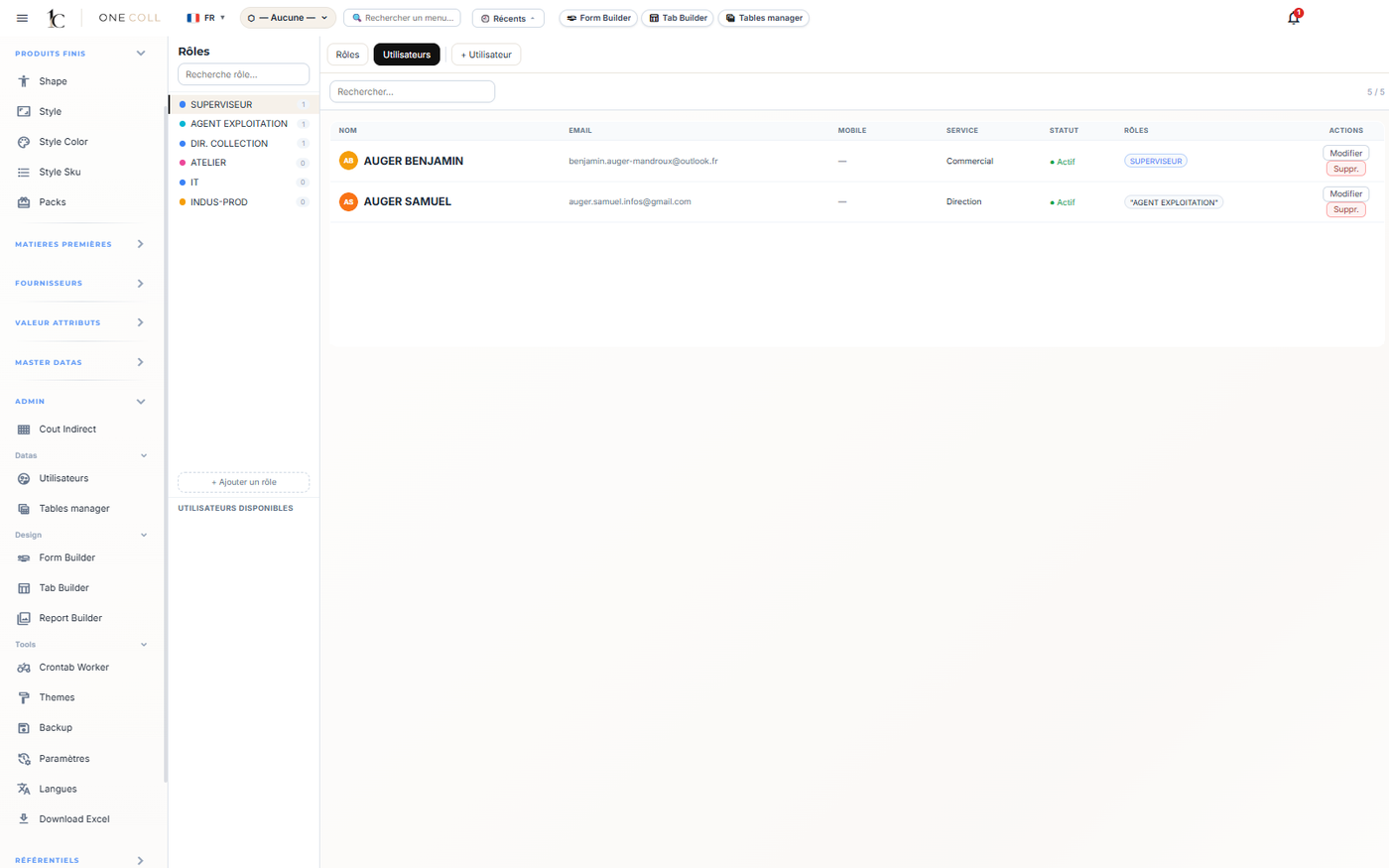
Create, activate and manage your users and their permissions from a clear interface, on your own.

ONE COLL
User management
Multilingual

A dictionary for your teams

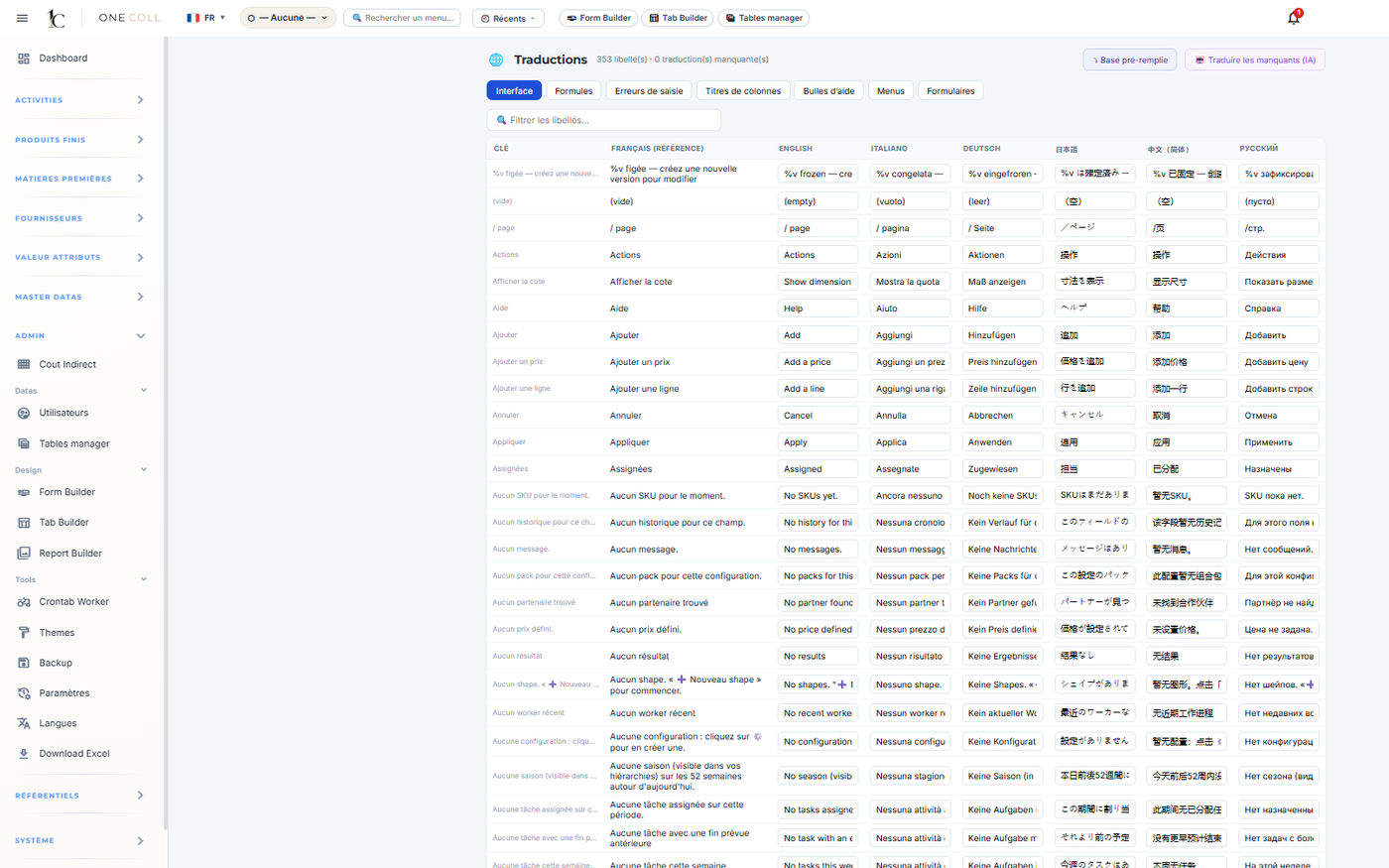
Each team works in its own language. The dictionary centralizes labels for a consistent international rollout.

ONE COLL
Multilingual dictionary
Book a demo

Discover ONE COLL on your own collections.

A few details, and a founder will get back to you to schedule a time.

Or directly: bauger@one-coll.com